
Custom domains
Serve your published demos from your own domain, like demos.yourcompany.com.
By default, your published demos live at demo.escourtly.com/your-demo-id. With a custom domain, the same demos also resolve on a domain you own:
https://demos.yourcompany.com/your-demo-idYour product, your domain, no third-party name in the URL you send to prospects. Custom domains are a Pro feature.
What you need
- A domain you control, with access to its DNS settings (any provider works — Cloudflare, GoDaddy, Namecheap, Route 53, anything that can add TXT and CNAME records)
- A subdomain is strongly recommended:
demos.yourcompany.com, notyourcompany.comitself
Setting it up
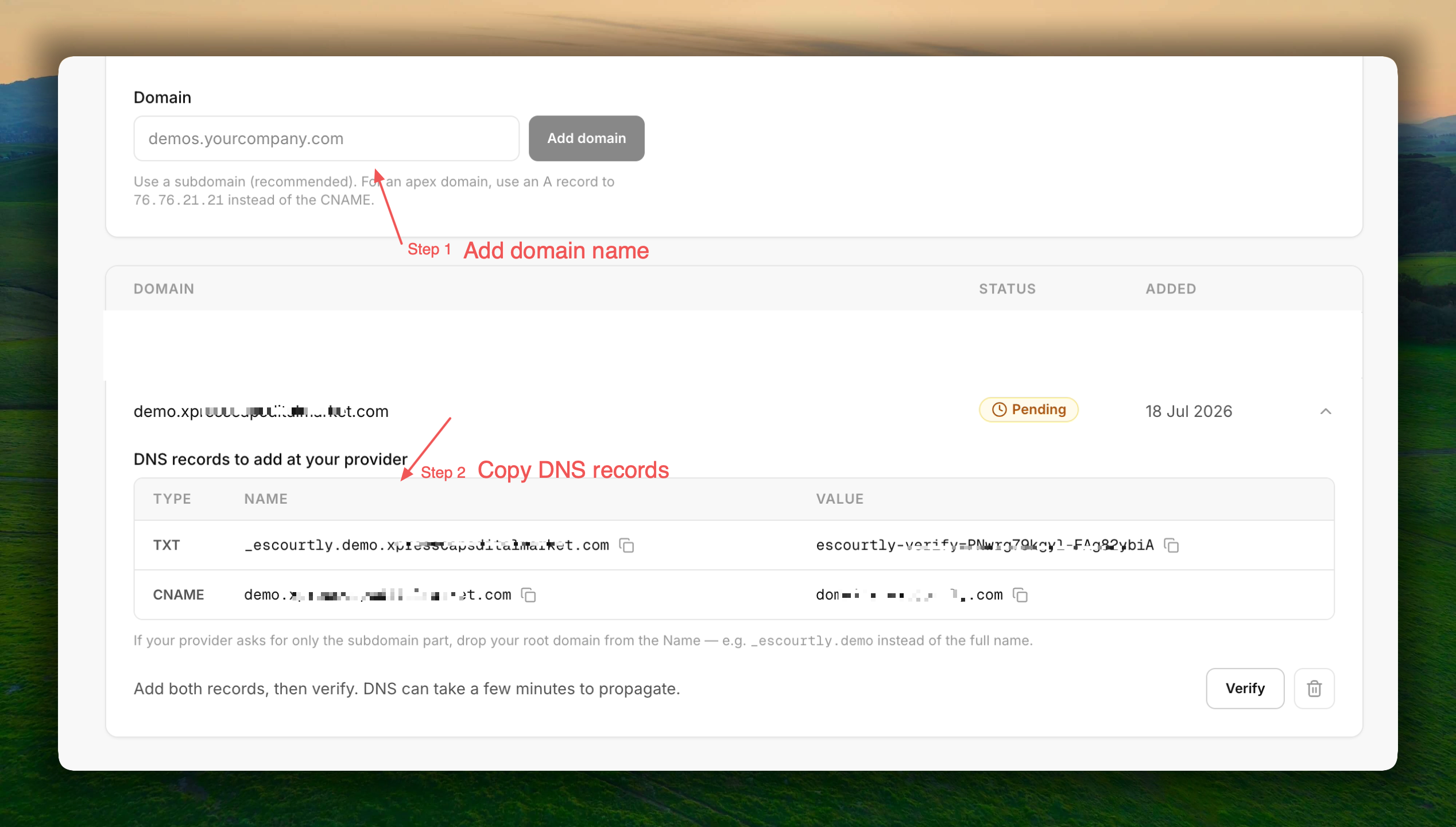
Add your domain
In Settings → Custom Domains, type the domain (e.g. demos.yourcompany.com) and press Add domain. The domain appears with a Pending verification badge and the exact DNS records you need — with copy buttons.
Add two records at your DNS provider
| Type | Name | Value |
|---|---|---|
| TXT | _escourtly.demos.yourcompany.com | escourtly-verify=... (your unique token, shown on the card) |
| CNAME | demos.yourcompany.com | domains.escourtly.com |
The TXT record proves you own the domain. The CNAME points visitors at us so we can serve your demos there.
If your provider asks for just the "host" part of the name, use _escourtly.demos for the TXT and demos for the CNAME.
Press Verify
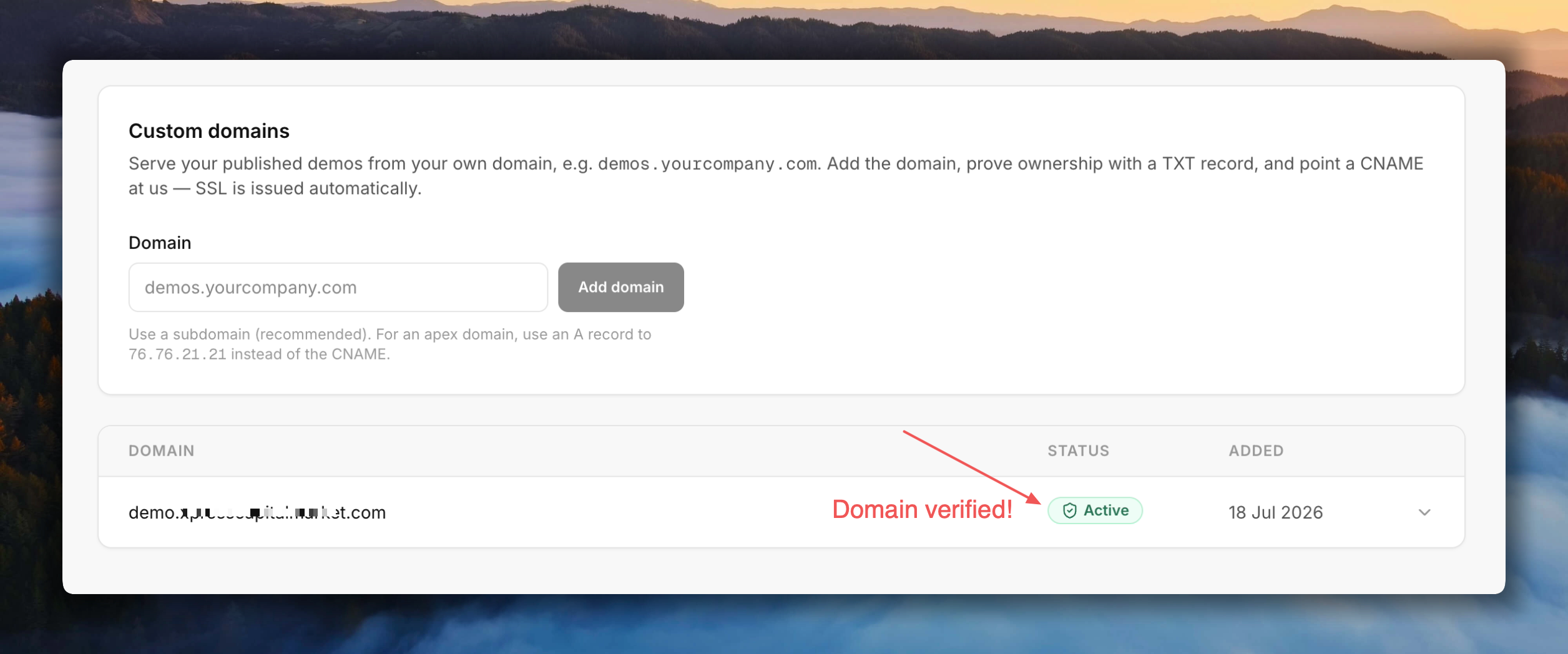
Back in Escourtly, press Verify. Once we see the TXT record, the domain flips to Active and an SSL certificate is issued automatically — no certificate work on your side, ever.
DNS changes can take a few minutes (occasionally longer) to propagate. If verification fails right after you added the records, wait a bit and press Verify again.
How it behaves
- Every published demo you own works on your domain —
https://your-domain/your-demo-id. There's nothing to enable per demo. - Copied links switch automatically. Your first verified domain becomes your link domain: the Share dialog, copy-link buttons, and embed snippets all start handing out URLs on your domain. A "Link domain" badge marks it in the table.
- You stay in control. Each active domain has a Use for share links button — switch the link domain, or press Stop using for links to go back to
demo.escourtly.comlinks. Serving isn't affected either way. - Multiple domains are fine. Every verified domain serves your demos; only the link domain changes what gets copied. Useful when migrating from one domain to another — old links keep resolving.
- Only your demos. Nobody else's demo can ever render on your domain, and yours can't render on theirs.
- Your existing links keep working.
demo.escourtly.comlinks stay live alongside the custom domain, and removing a domain simply reverts copied links todemo.escourtly.com. - Analytics don't change. Views on your domain land in the same demo analytics as every other view.
Removing a domain
The trash button on the domain card detaches it after a confirmation. Demo links on that domain stop resolving immediately; the demos themselves are untouched and stay live on demo.escourtly.com.
Troubleshooting
| Symptom | Likely cause |
|---|---|
| Verify keeps failing | The TXT record isn't visible yet (propagation), or the name/value doesn't match exactly — copy both from the card. |
| Verify asks for one more record | Rare: the domain was previously connected to another hosting setup. Add the extra record shown and verify again. |
| Domain is Active but the browser can't reach it | The CNAME is missing or points somewhere else. Check it targets domains.escourtly.com exactly. |
| Works over HTTP but not HTTPS | The SSL certificate is still being issued — this finishes within minutes of the CNAME propagating. |
Still stuck? Email support@escourtly.com with your domain name and we'll look at it from our side.