
Attio
Upsert a Person — and their Company — in your Attio CRM for every lead captured on your demos.
The Attio integration turns each captured lead into a Person record in your Attio workspace, matched on email so re-submissions update rather than duplicate. When the lead's email belongs to a company, we also upsert that Company and link the two.
You can connect one Attio workspace per account.
Create an access token
Escourtly authenticates with an Attio access token. Create one with the right scopes:
Open Attio's developer settings
In Attio, go to Settings → Developers, and create (or open) an access token / integration.
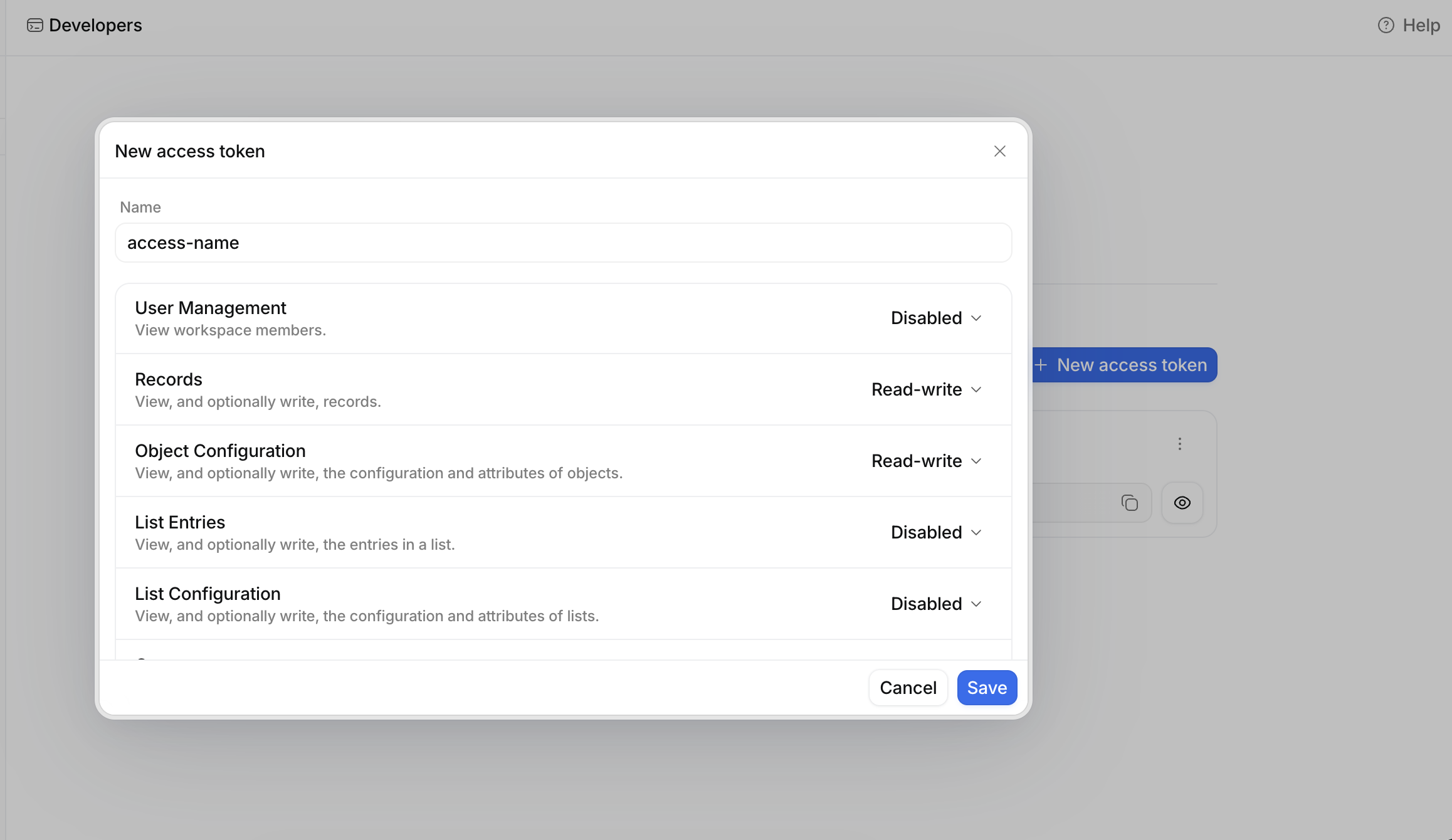
Grant the required scopes
The token needs exactly two:
- Record — read and write (to create and update people and companies)
- Object configuration — read (to resolve the People and Companies objects)
Copy the token
Copy it now — Attio only shows it once.
Missing the read scope?
If deliveries fail with "requires scopes: Read access to the Object Configuration scope," the token is missing Object configuration → read. Add it in the token's Scopes and try again.
Connect Attio
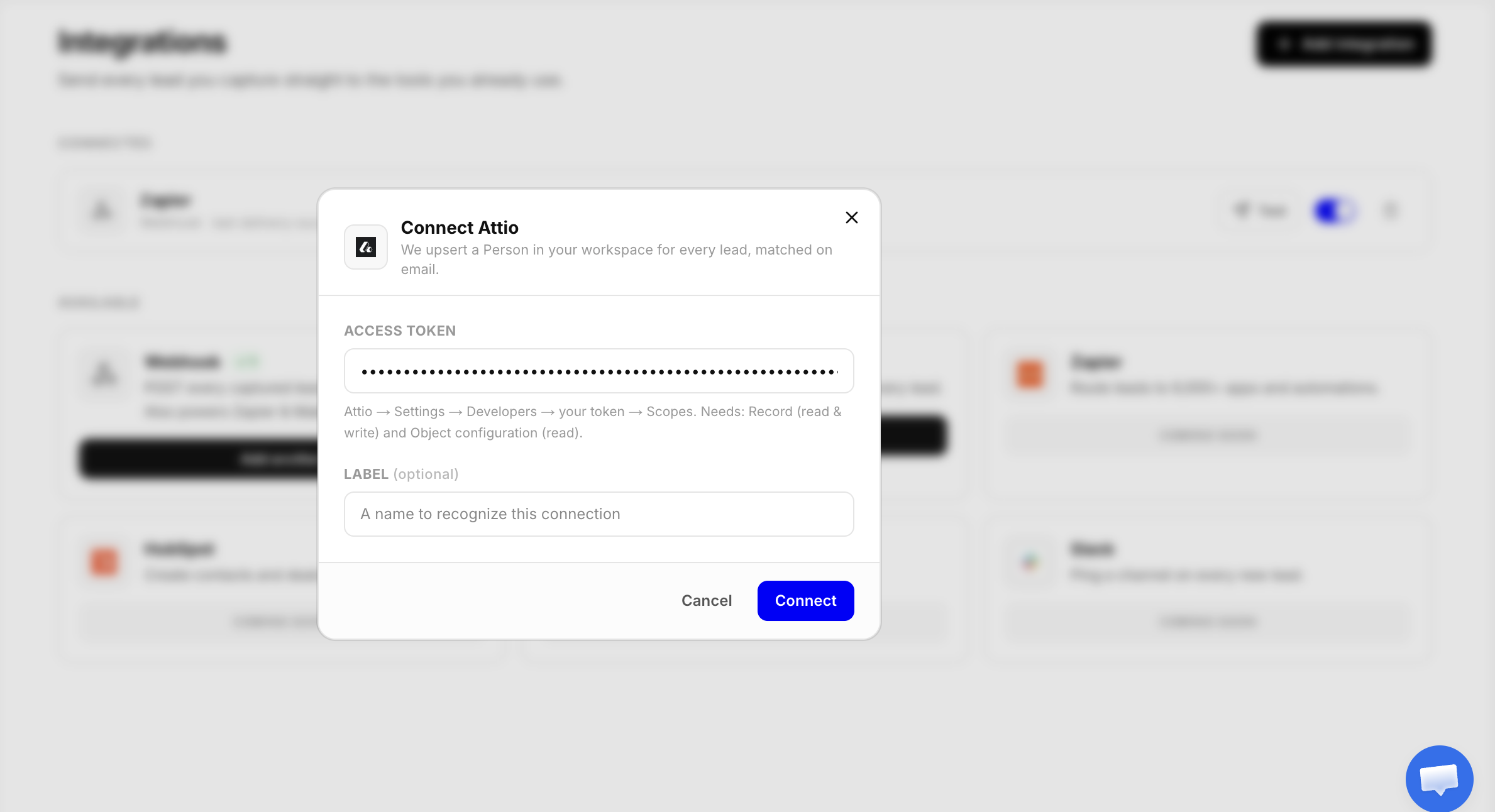
Paste your token
Paste the access token and Connect. It's stored encrypted and never shown again.
Send a test lead
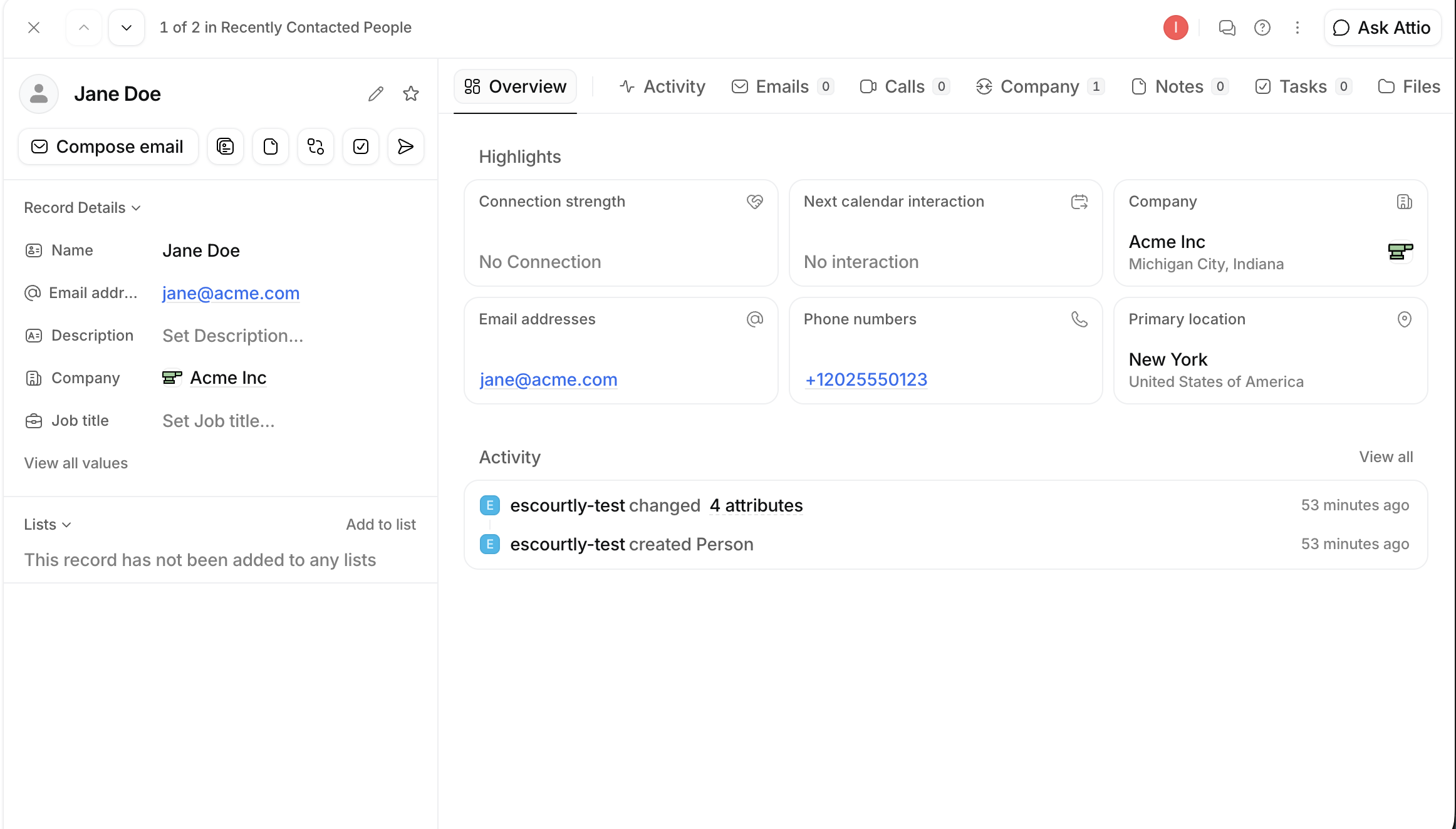
Click Manage → Send a test lead and check your workspace — a sample Person and Company should appear.
What gets synced
| Lead field | In Attio |
|---|---|
| The Person's email address — and the matching key, so the same person is never duplicated. | |
| Name | Split into first / last / full name. |
| Phone | Added when present. A +-prefixed (E.164) number is used as-is; otherwise the lead's captured country formats it. |
| Company | Derived from the email domain (e.g. jane@acme.com → acme.com): the Company is upserted with the captured name and linked to the Person. |
Free-email leads don't get a company
Attio identifies companies by their domain, and a personal address (gmail.com, outlook.com, …) has no company domain — so those leads sync as a Person without a linked Company. The company name is still on the lead itself and in any webhook payload. Business emails link cleanly.
A bad phone never costs you the lead
If Attio rejects a phone number, we retry the person without it — so the Person (and Company) still land, just without that phone. Encourage viewers to include a country code (e.g. +1…) for the cleanest result.
Delivery and failures
- A successful upsert is recorded as the connection's last status.
- Rate limits and
5xxretry automatically; an invalid token or a rejected value is recorded so you can fix it. - Company linking is best-effort — if that step hiccups, the Person is still created.