
Webhook
POST every captured lead as JSON to any URL — the most flexible integration, and the way to reach Zapier and Make.
The webhook integration sends an HTTP POST with a JSON body to a URL you control, once for every lead captured on your demos. It's the most flexible destination: point it at your own backend, or at a Zapier / Make catch-hook to route leads into thousands of other apps.
Unlike CRMs, you can connect as many webhooks as you like — one per system that should hear about a lead.
Connect a webhook
Get a URL that accepts a POST
Your own endpoint, or a "Catch Hook" trigger in Zapier / Make. For a quick test, a free inbox at webhook.site works with no signup.
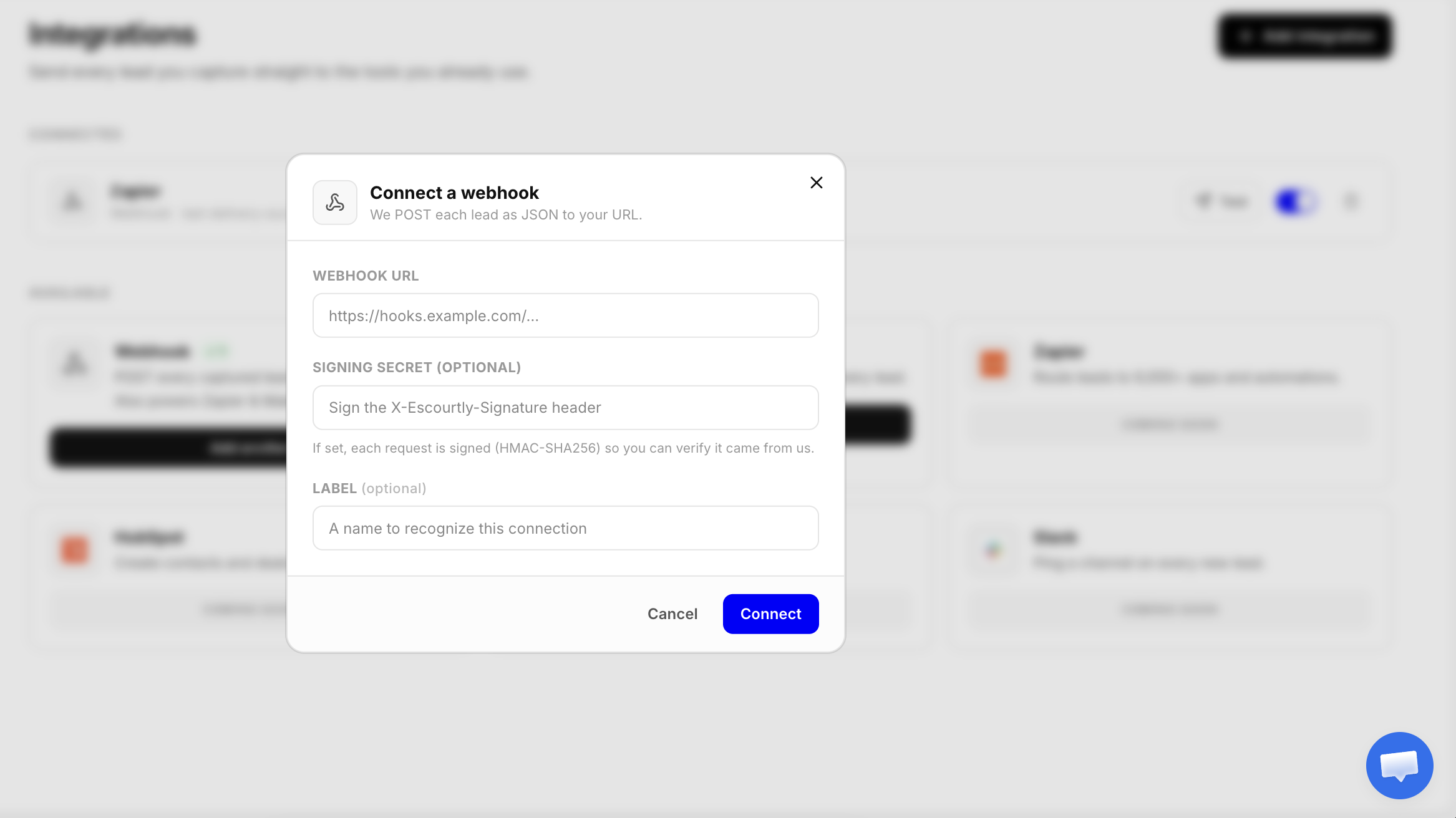
(Optional) set a signing secret and label
A signing secret lets you verify each request truly came from us (see below). A label helps you tell multiple webhooks apart — it defaults to the URL's host.
Test it
On the connection, click Test to send a sample lead immediately, and confirm it arrives.
Must be an https:// URL. The URL and secret are stored encrypted and never shown again.
The payload
Each delivery is a POST with Content-Type: application/json and this body:
{
  "type": "lead.captured",
  "lead": {
    "id": "lead_a1b2c3",
    "capturedAt": "2026-07-28T22:32:55.030Z",
    "source": "capture_wall",
    "contact": {
      "email": "jane@acme.com",
      "name": "Jane Doe",
      "company": "Acme Inc",
      "phone": "+12025550123",
      "country": "US"
    },
    "demo": {
      "id": "demo_xyz",
      "title": "Product walkthrough",
      "url": "https://demo.escourtly.com/demo_xyz"
    },
    "engagement": {
      "stepsSeen": 5,
      "completed": true,
      "ctaClicked": true
    },
    "params": {
      "company": "Acme Inc"
    }
  }
}
A few notes on the fields:
source—capture_wall(the form) orcta(a lead tied to the closing call to action).contact— every field exceptemailmay benull, depending on which fields the demo collects and what the viewer entered.country— the viewer's country (ISO 3166-1 alpha-2), from a country-level geo lookup at capture; never an IP.engagement— how far the viewer got when they submitted;nullif the session couldn't be linked.params— any personalization values from the share link (e.g.?company=Acme).
A stable contract
Fields may be added over time, but existing ones won't change shape — write your handler to ignore keys it doesn't recognize.
Verifying the signature
If you set a signing secret, every request includes a header:
X-Escourtly-Signature: sha256=<hex>The value is the HMAC-SHA256 of the exact raw request body, keyed by your secret. Recompute it on your end over the raw body and compare — if it matches, the request is genuinely from Escourtly and wasn't altered.
import crypto from "node:crypto";

function verify(rawBody, header, secret) {
  const expected =
    "sha256=" + crypto.createHmac("sha256", secret).update(rawBody).digest("hex");
  return header === expected;
}
Hash the raw body
Compute the HMAC over the exact bytes you received, before any JSON parsing or re-serialization — re-stringifying can change whitespace and break the match.
Delivery, retries, and failures
- We treat any 2xx response as success.
- Timeouts, network errors,
408,429, and5xxare transient — they back off and retry automatically. - Other 4xx responses mean your endpoint rejected the payload; we record the error on the connection instead of retrying forever.
- Respond quickly (ideally under a couple of seconds) and do heavy work asynchronously on your side — a slow endpoint looks like a timeout.
Reaching Zapier or Make
Both are just webhooks:
- In Zapier, create a Zap with the Webhooks by Zapier → Catch Hook trigger (or in Make, a Custom webhook). Copy the URL it gives you.
- Paste it into the Escourtly webhook dialog and Connect.
- Click Test, then map the
leadfields to whatever app comes next.