Skip the blank caption box. Start from a draft.
Record your flow and every step gets a heading and a one-line caption on its own. You just read it and tweak.
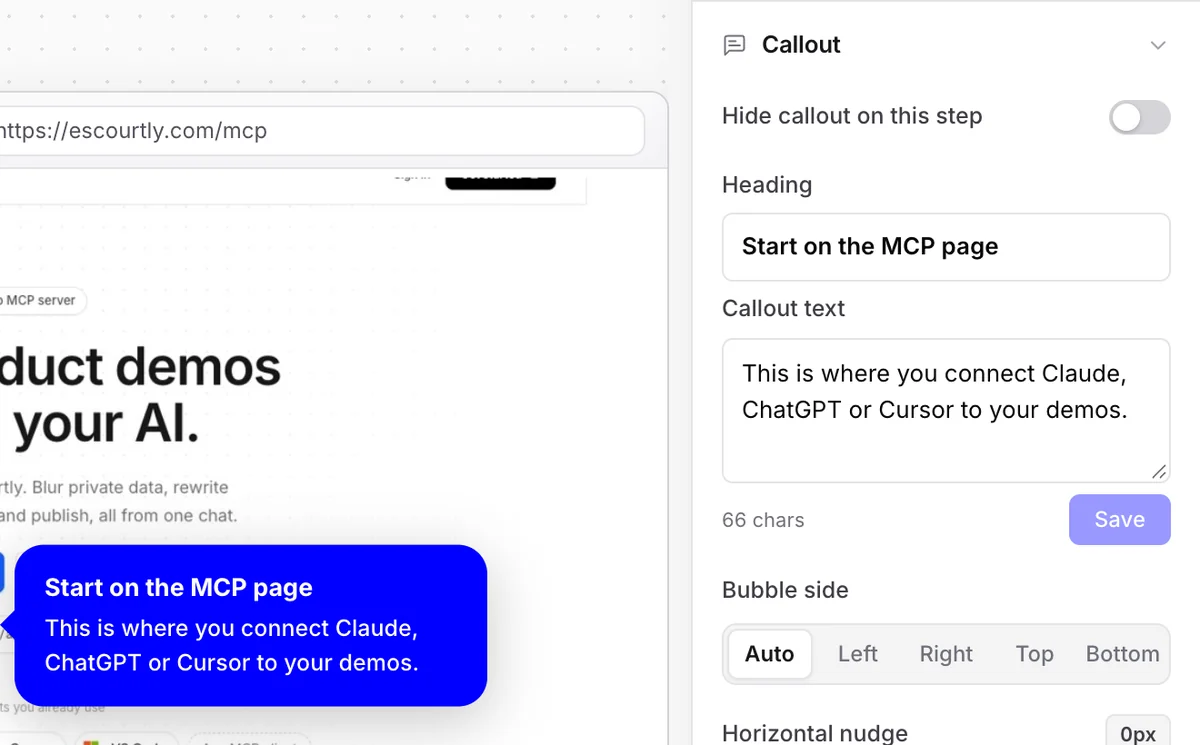
Short, specific, and the same on every step.
2–5words
A short heading that starts with a verb, like “Connect your data”.
1sentence
Under 14 words telling the viewer what to do on that screen.
Everystep
Written in the background right after you finish recording.
The AI drafts. You decide.
01Click any caption in the editor and change a word or all of it.
02Or ask Claude, ChatGPT or Cursor to rewrite them through the MCP server.
03Publish when it reads right. Nothing goes live until you do.
Frequently asked questions
When are captions written?
Automatically, right after you finish recording. By the time you open the editor, every step has a heading and a one-line caption.
What does the AI look at?
The address of the page each step was recorded on and where the step sits in the demo. It doesn't read your page's content or screenshots.
Can I change what it wrote?
Yes, everything is editable. Click the caption in the editor and type, or ask your AI assistant to rewrite them through the Escourtly MCP server.
Which model writes them?
An open-weight model through OpenRouter. We keep the prompt strict, short heading plus one sentence, so the drafts stay tidy.
Keep exploring
All features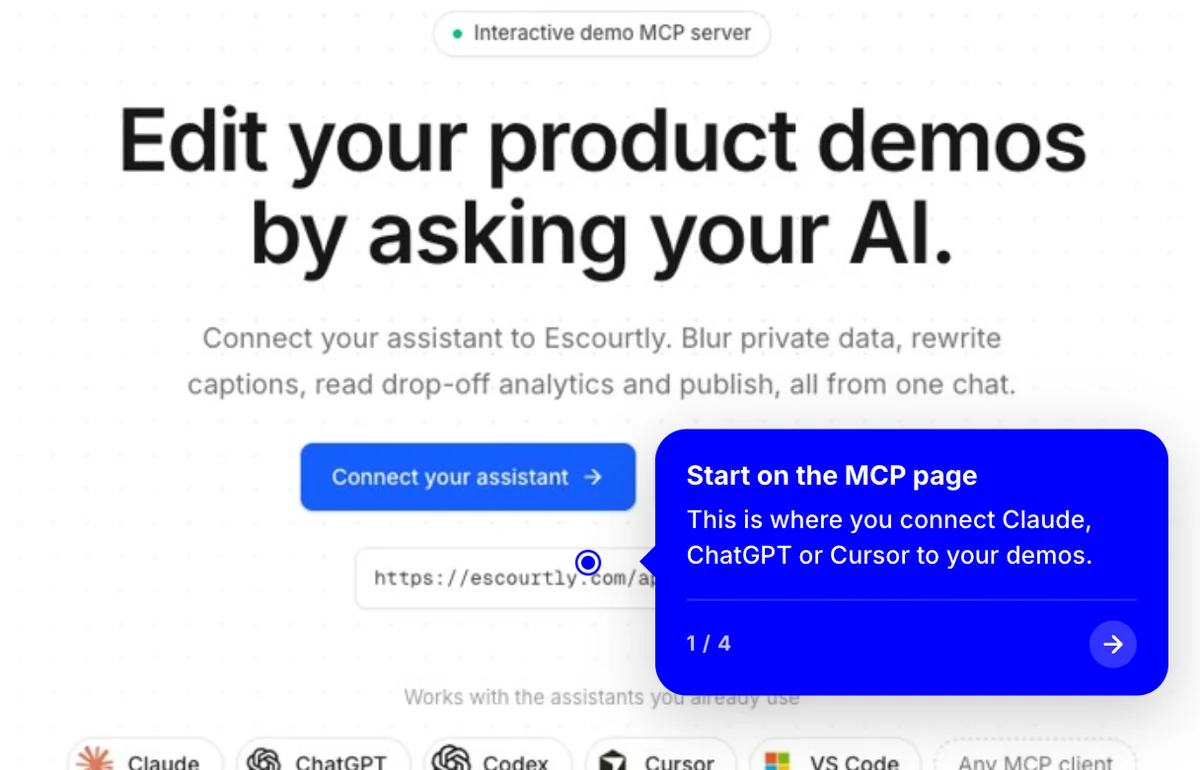
Interactive steps
Each step is the real HTML of your product, captured live. Viewers click through it like the real thing.
Learn more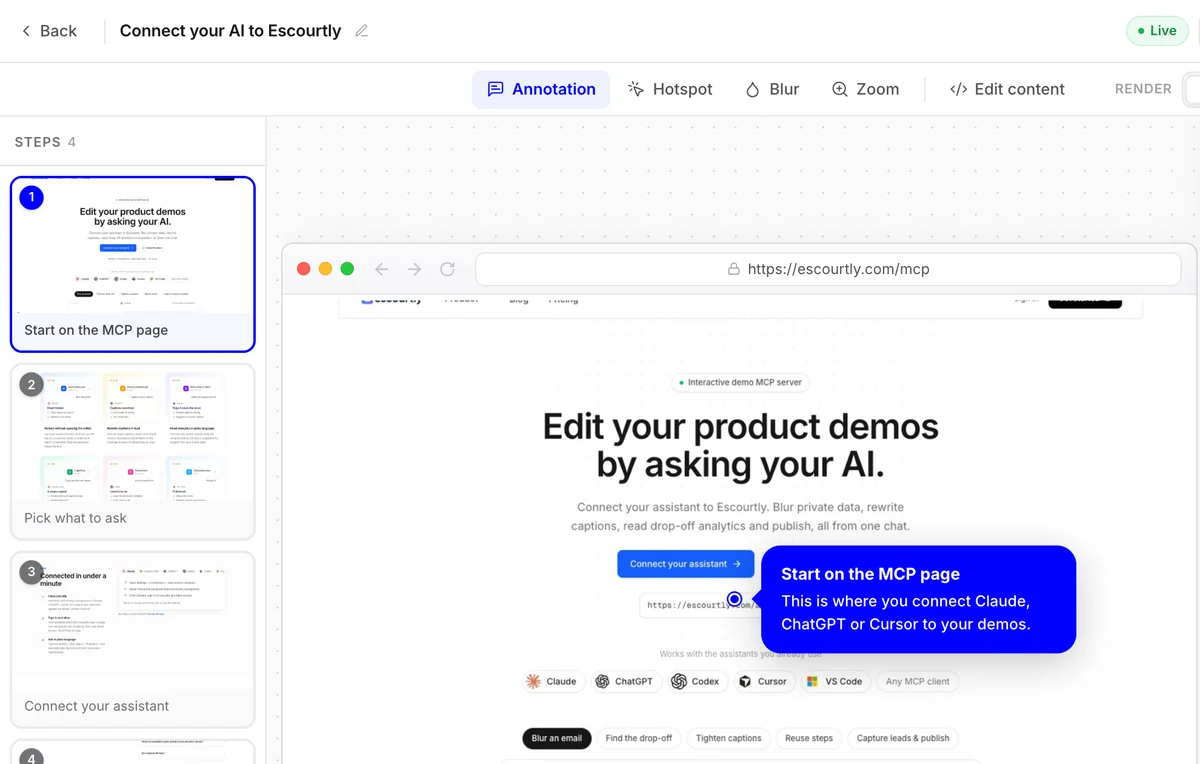
Visual editor
Add callouts and hotspots, blur private data and zoom in, step by step, on a simple canvas.
Learn more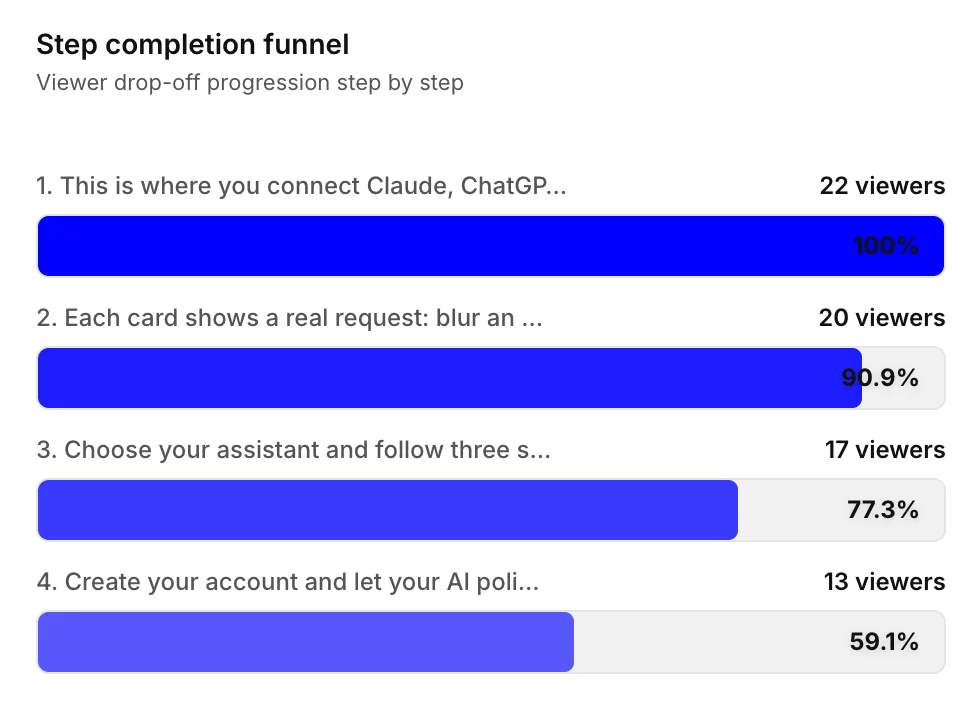
Funnel analytics
See exactly which step loses people. Fix it, share again and watch the funnel change.
Learn more