Your demo should look like your product.
Your color, your font, your screens and your domain. Set them once and every demo you record matches.
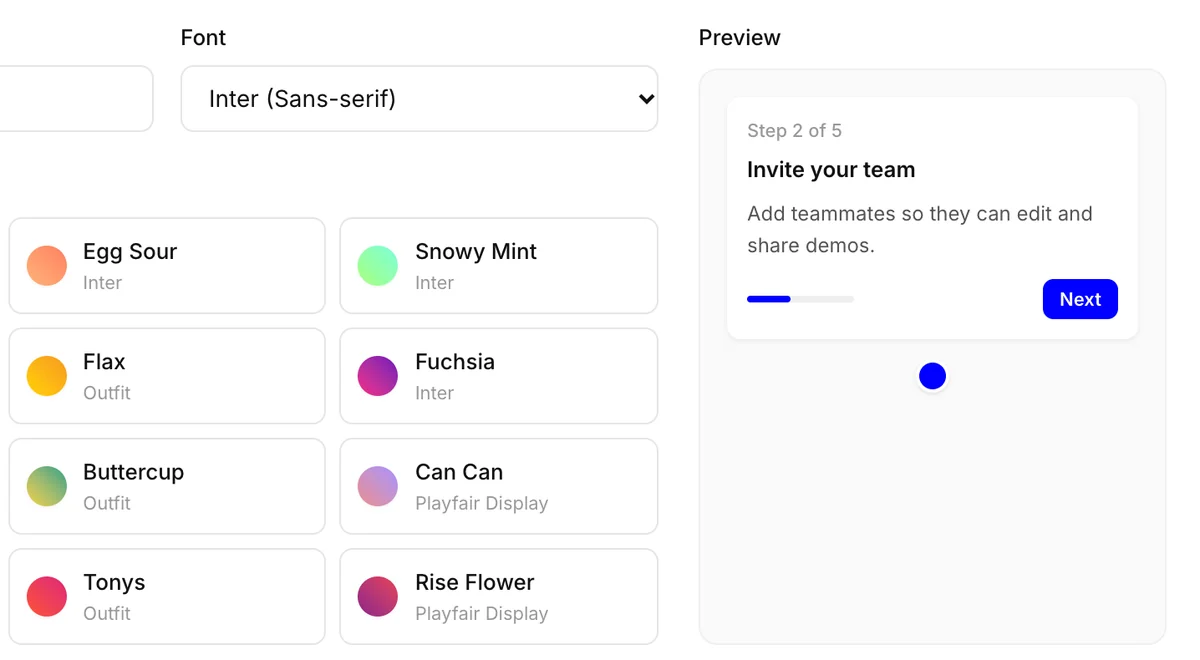
Every piece a viewer sees.
Color and font
One brand color and font, used on every callout, button and screen.
Buttons
Solid or outline, in pill, rounded or square corners, in any color.
Hotspots
Dot, ring, beacon or square, in three sizes and three speeds.
Callouts
Pick the bubble shape and size, and show or hide the step counter and arrow.
Cover and end screens
A title screen before step 1 and a closing screen with your call to action.
Your domain
Share from demo.yoursite.com instead of our address.
Frequently asked questions
What can I change?
Your brand color and font, the cover screen before step 1, the end screen and its buttons, how callouts and hotspots look, and the backdrop behind the demo on the share page.
Do I have to style every demo?
No. Set your color and font once in brand settings and every new demo picks them up. You can still change a single demo's screens and styles.
Can demos live on my own domain?
Yes. Add a domain like demo.yoursite.com, verify it, and your share links use it instead of ours.
Can I send people somewhere at the end?
Yes. The end screen has your own button and link, an optional second button, and a restart button if you want one.
Keep exploring
All features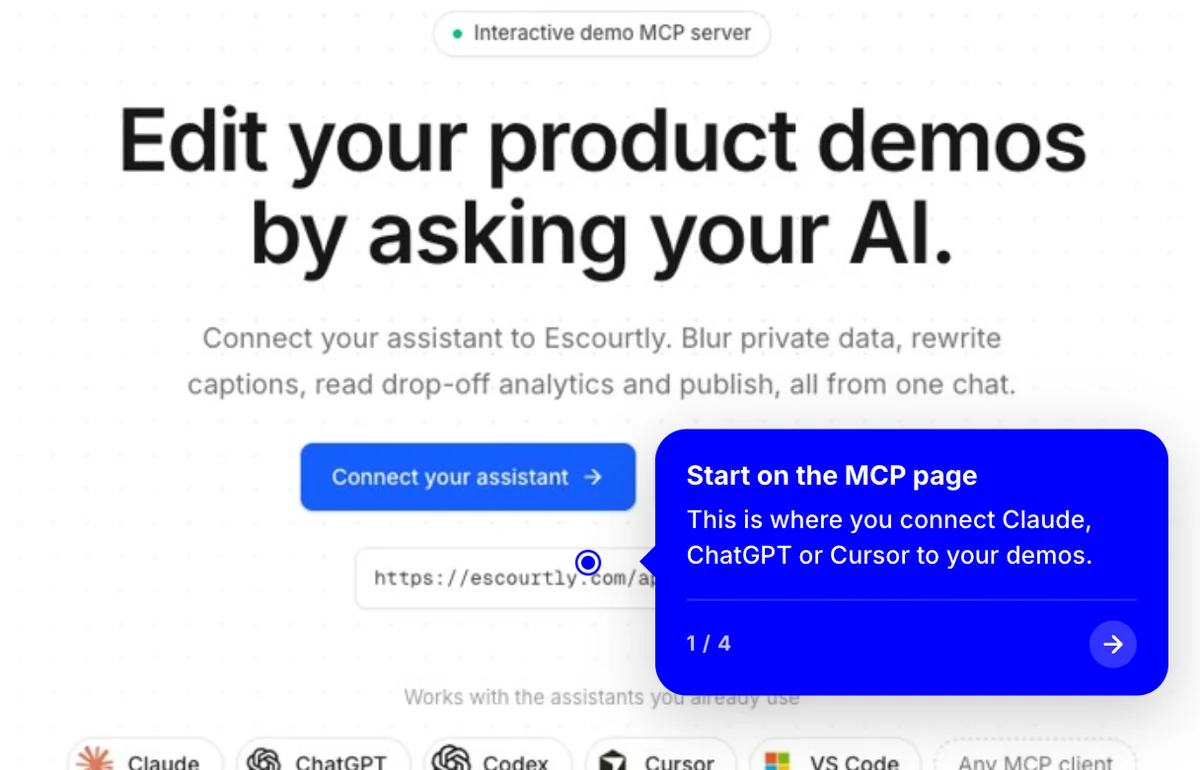
Interactive steps
Each step is the real HTML of your product, captured live. Viewers click through it like the real thing.
Learn more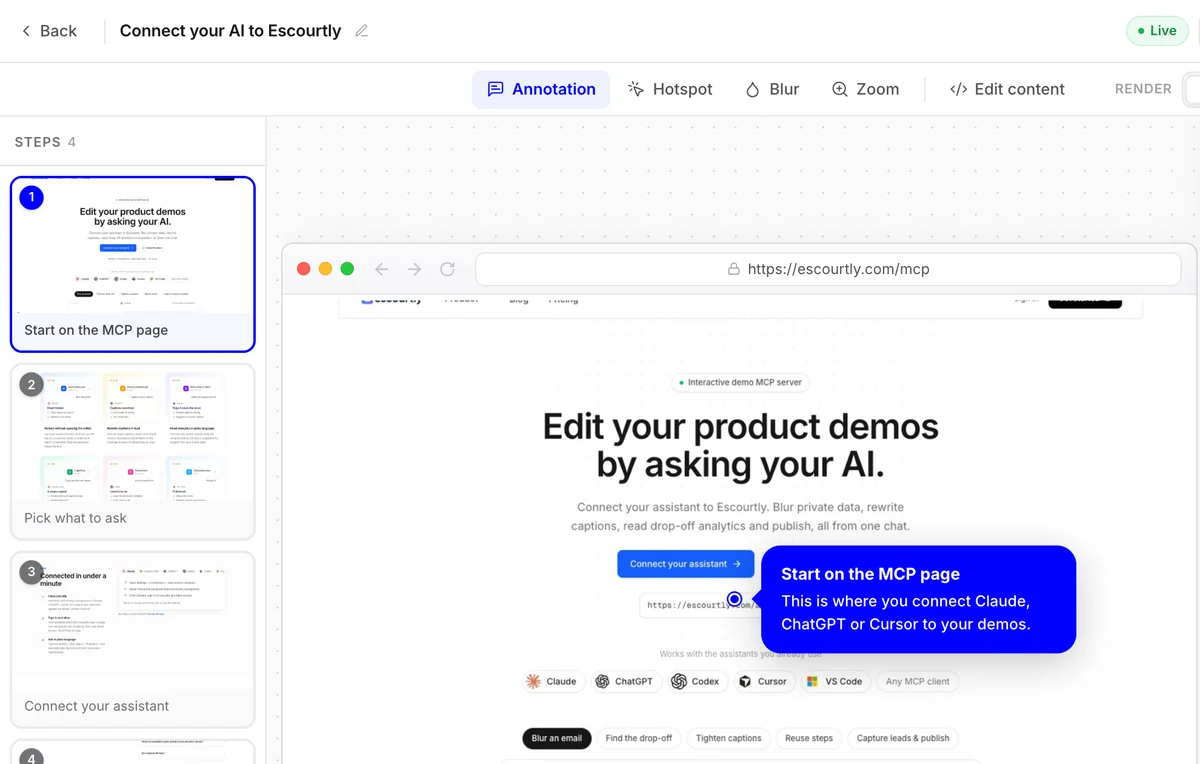
Visual editor
Add callouts and hotspots, blur private data and zoom in, step by step, on a simple canvas.
Learn more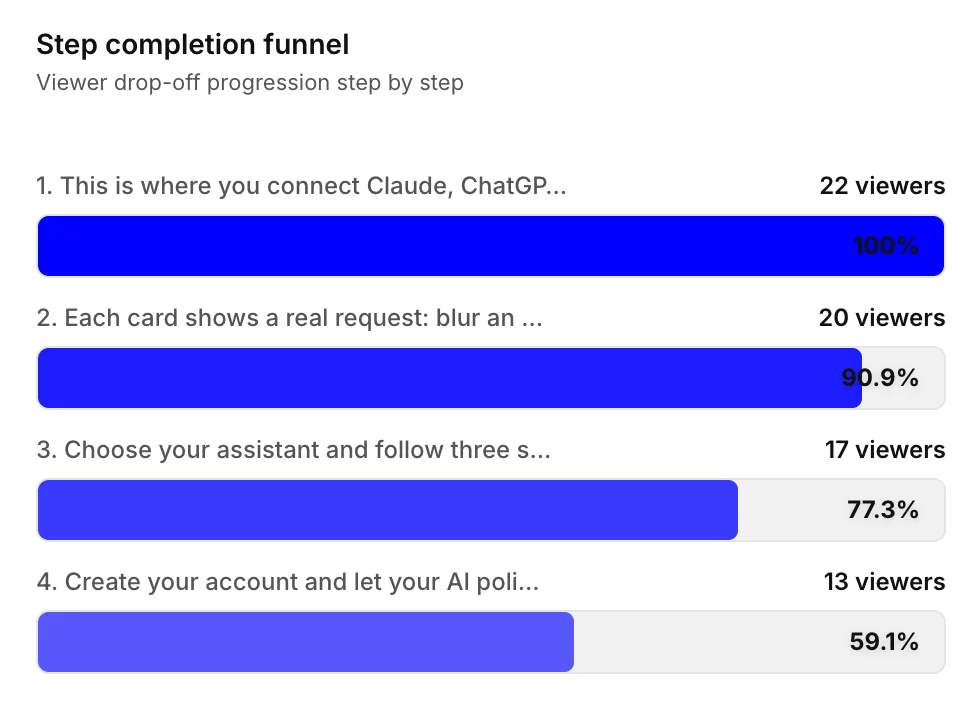
Funnel analytics
See exactly which step loses people. Fix it, share again and watch the funnel change.
Learn more