Not a video of your product. Your actual product.
Escourtly saves the real page behind every click, so prospects click through your app instead of watching someone else do it.
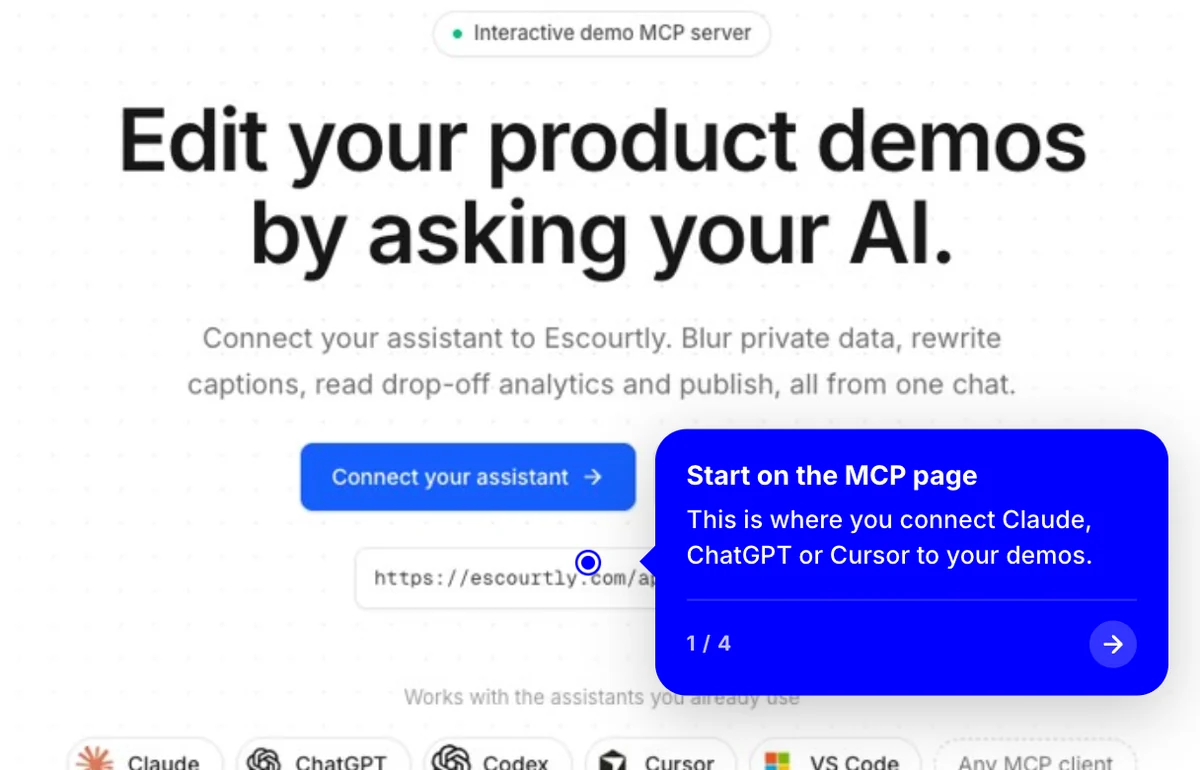
This is a real Escourtly demo. Click it.
Watching isn't the same as trying.
A screen recording is a picture of your product. An interactive demo is the product, one step at a time.
Record it once. They try it forever.
- 01
Click through once
Open the extension and use your product as normal. Every click saves a step.
- 02
We save the real page
Each step keeps the page's HTML, styles and images, not a picture of them.
- 03
Viewers use it
They click from step to step on a page that looks and reads like your app.
- No code
- No video files
- Records in Chrome
Frequently asked questions
Is this a video?
No. Each step is the captured page itself: its HTML, styles and images. That's why text stays sharp, and why you can change words or blur things after recording.
What if a page doesn't capture perfectly?
Some very complex apps don't rebuild perfectly from HTML. Every step also keeps a pixel-perfect screenshot, and you can switch that one step to it in the editor.
Do viewers need an account or an install?
No. They open your link or the embed on your site and click through. Nothing to install, nothing to sign up for.
What do I need to record?
The free Escourtly extension for Chrome. Open it on any page of your product, record, and stop when you're done.
Keep exploring
All features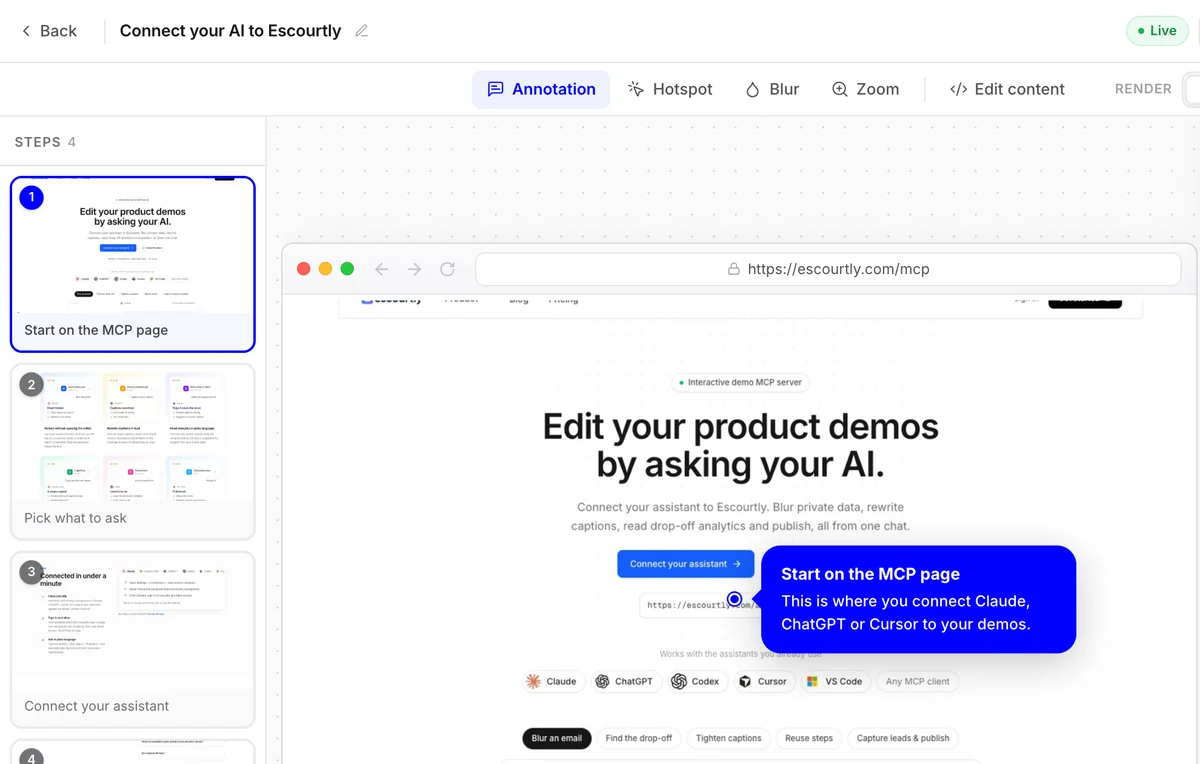
Visual editor
Add callouts and hotspots, blur private data and zoom in, step by step, on a simple canvas.
Learn more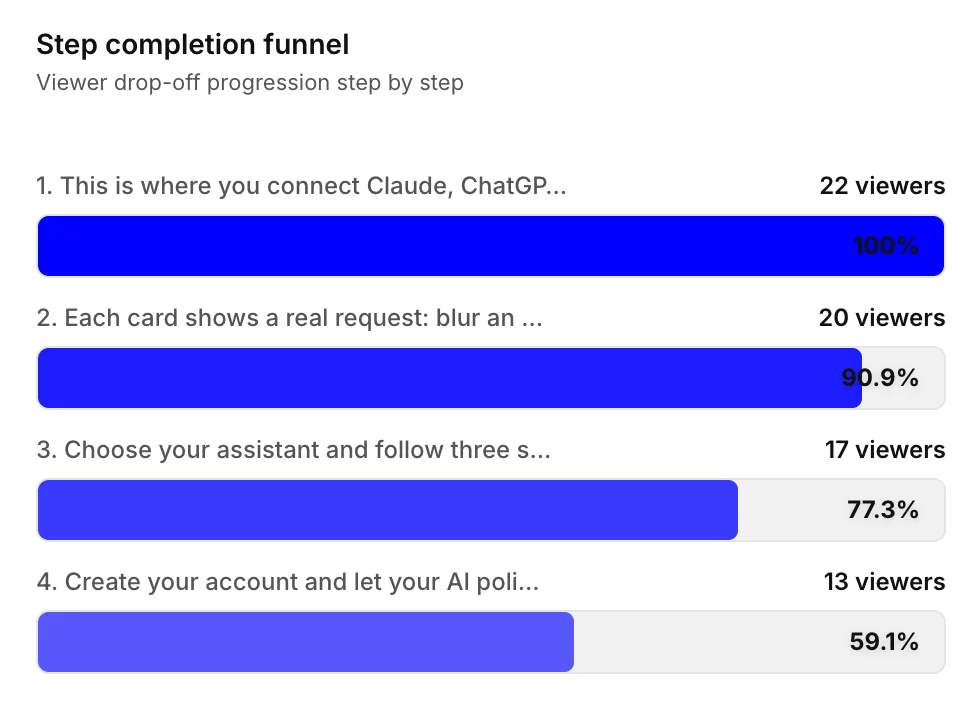
Funnel analytics
See exactly which step loses people. Fix it, share again and watch the funnel change.
Learn more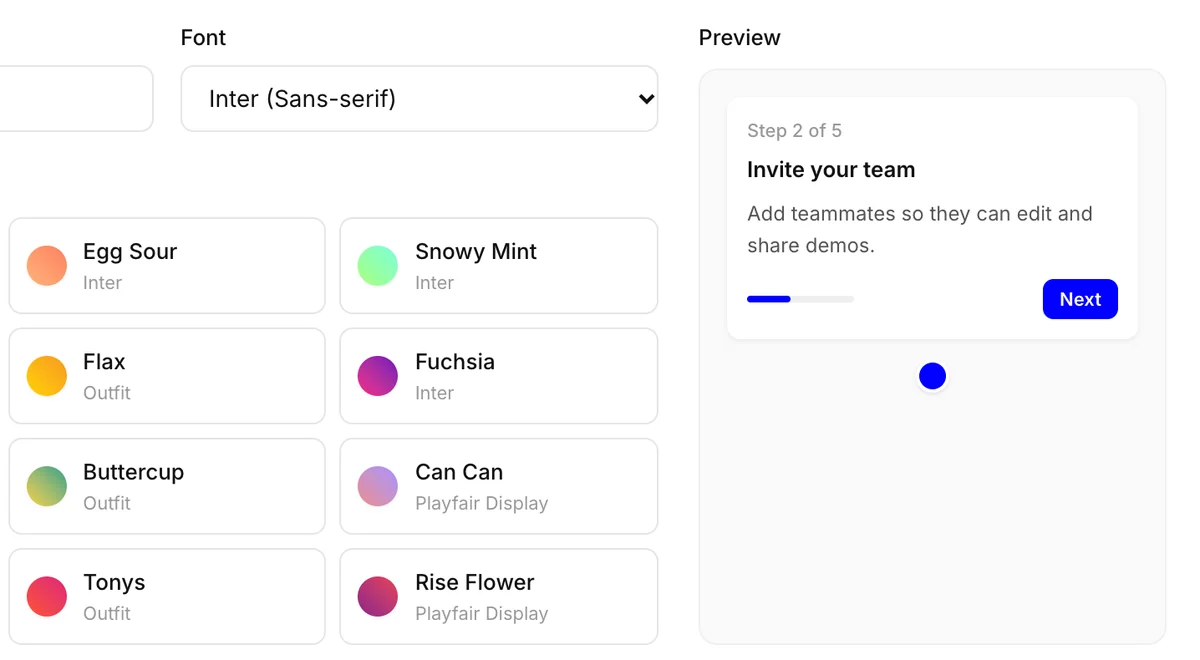
Your brand
Set your color and font once, or start from a preset. Every new demo picks them up.
Learn more