Record it rough. Make it perfect.
Add captions and hotspots, blur private data, zoom in and fix typos on the captured page. No re-recording, ever.
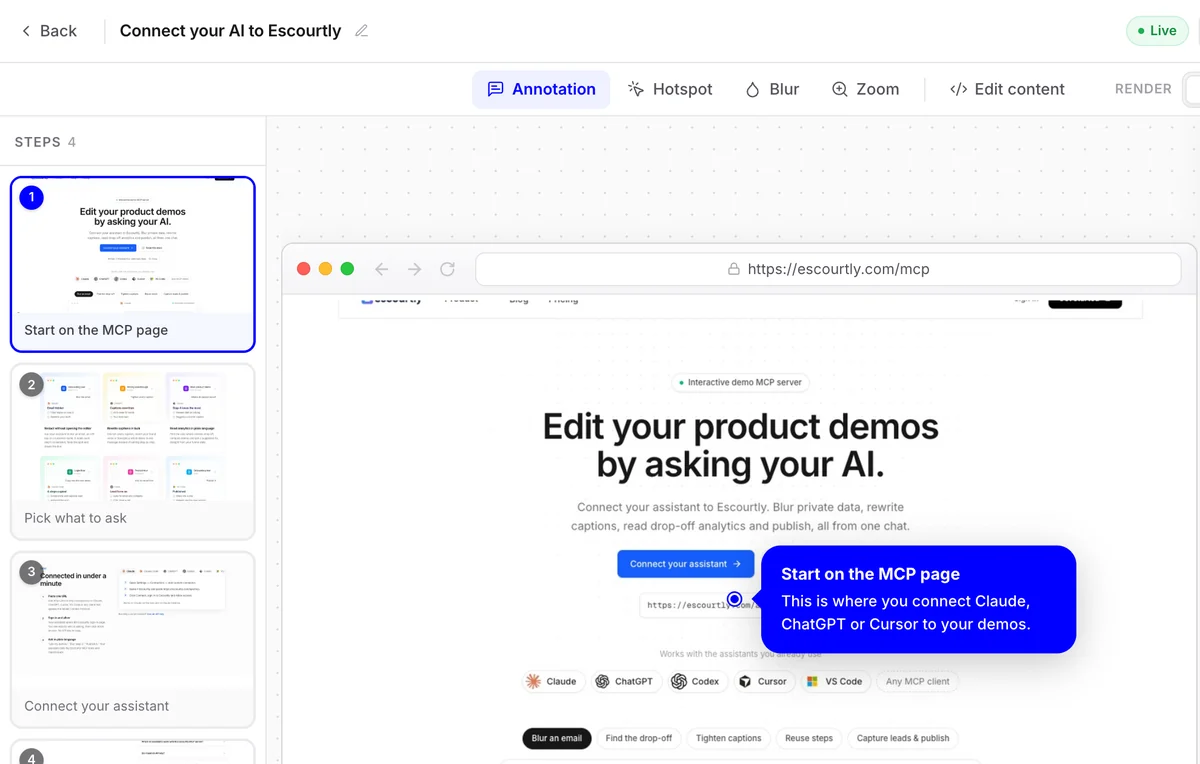
This demo walks you through the editor.
A real Escourtly demo of the real editor. Click through it.
Everything you can change after you record.
Callouts
Write what each step is about. Pick the bubble shape and size, a step counter and an arrow.
Hotspots
A pulsing dot on the click, or a box around the whole button.
Blur
Hide emails, names and keys before anyone sees them.
Zoom
Zoom up to 2.5× on the part that matters on a busy screen.
{{name}}, here's your dashboard…/demo?name=SamHi Sam, here's your dashboardPersonalize
Put {{name}} in the page and fill it from the share link.
Edit the page
Fix text, swap images and icons, or hide elements after recording. Undo any edit on its own.
Arrange steps
Drag to reorder, duplicate or delete steps, and restore what you deleted.
Frequently asked questions
Can I fix a typo without recording again?
Yes. Click any text on a step and change it. You can also swap images and icons or hide elements, and undo each change on its own.
How do I hide private data?
Draw a blur box over it on that step. Blurs are part of the demo, so viewers never see what's underneath.
Can I personalize a demo for each prospect?
Yes. Write {{name}}, {{company}} or any variable into the page, then add it to the share link, like ?name=Sam. Each viewer sees their own values.
Do style changes apply to every step?
Callout and hotspot styles are set once for the whole demo. Text, blur, zoom and hotspot position are set per step.
Can I edit a demo with AI?
Yes. Connect Claude, ChatGPT or Cursor to the Escourtly MCP server and ask it to rewrite captions, blur data or reorder steps.
Keep exploring
All features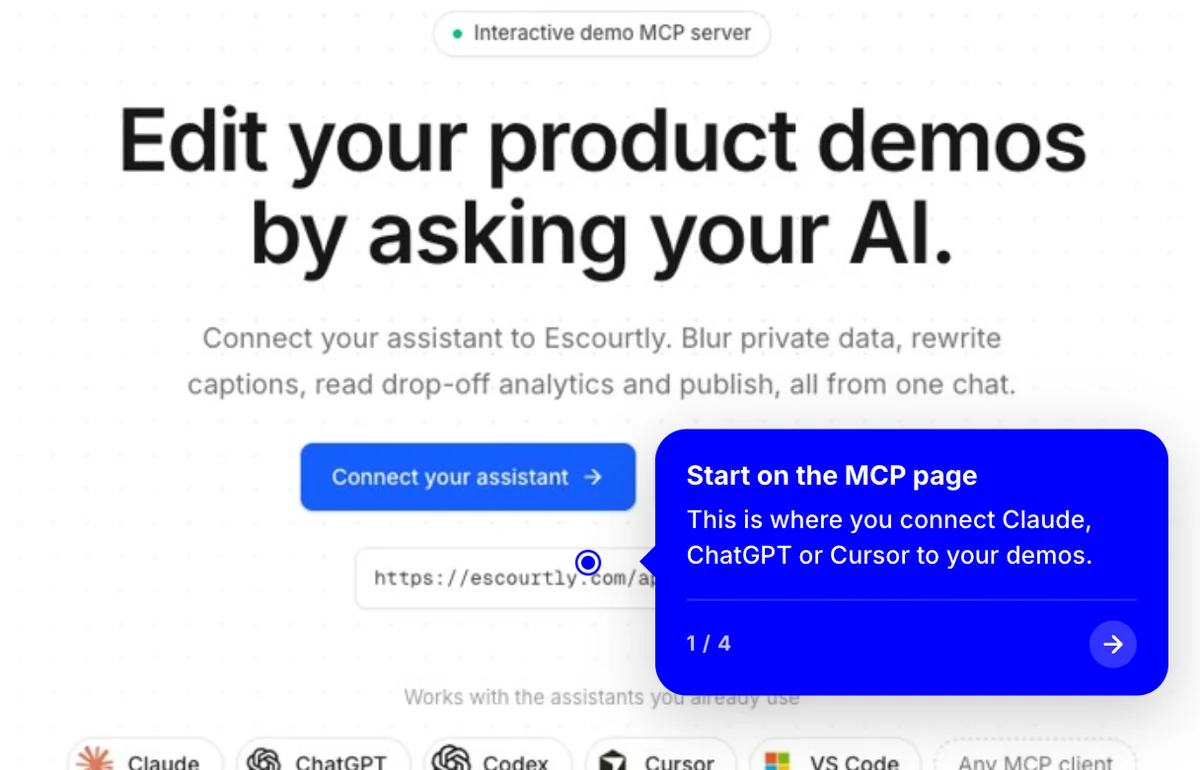
Interactive steps
Each step is the real HTML of your product, captured live. Viewers click through it like the real thing.
Learn more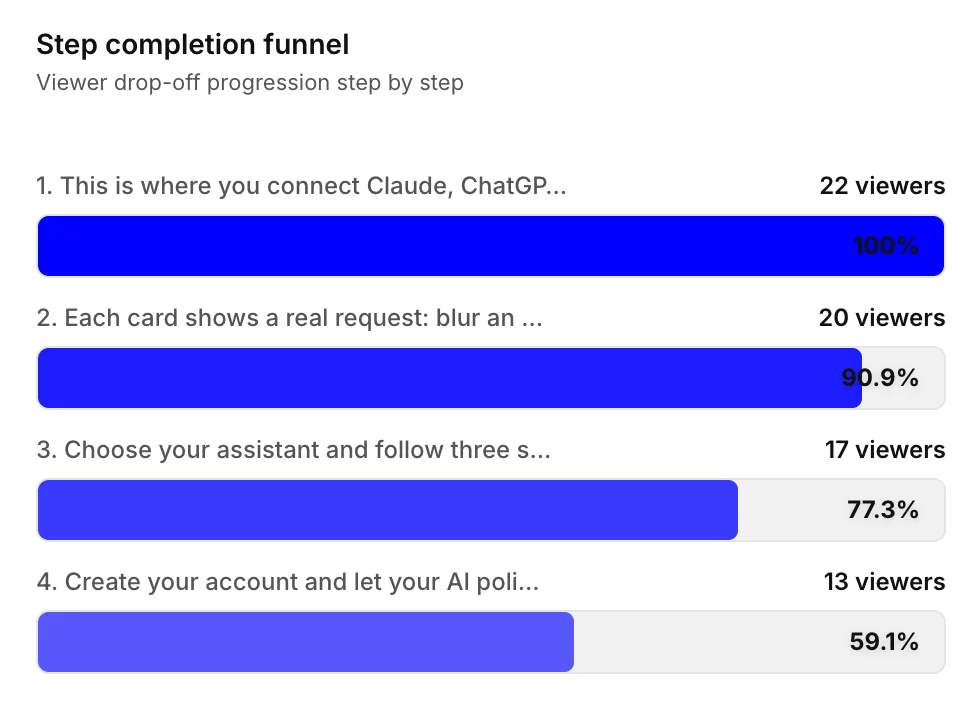
Funnel analytics
See exactly which step loses people. Fix it, share again and watch the funnel change.
Learn more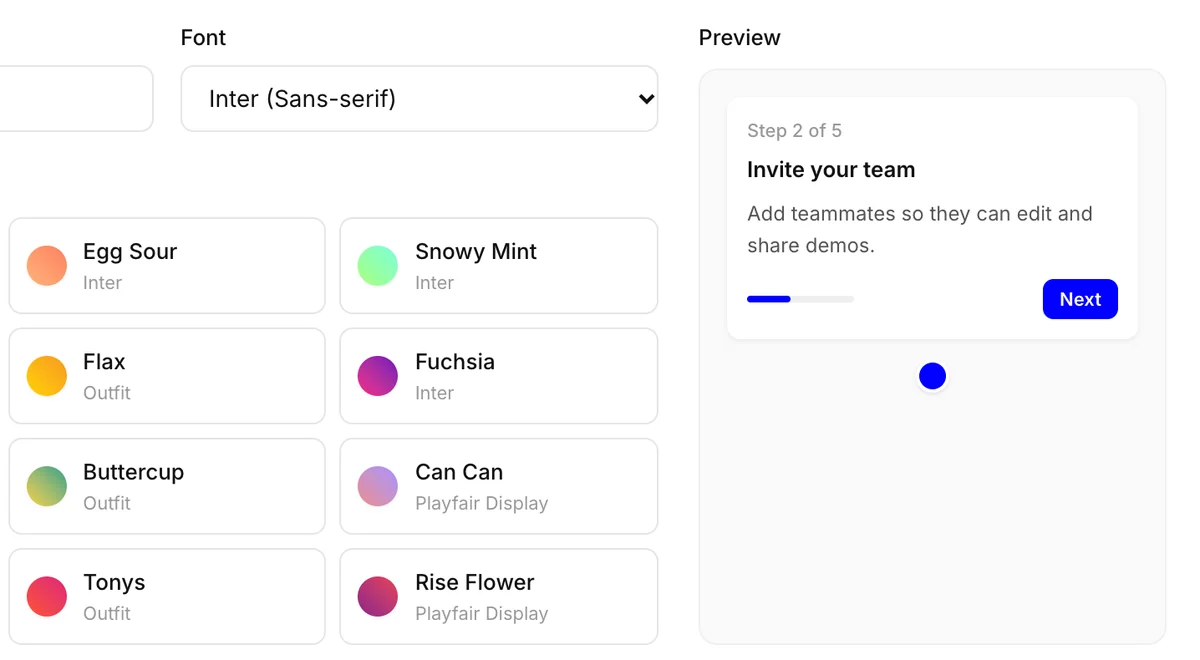
Your brand
Set your color and font once, or start from a preset. Every new demo picks them up.
Learn more